
DuckStation
StenzekArcade
4.3850.00 Reviews
- Version
- 0.1-8969-g611bb8fb4
- Installs
- 1.00M
- Age Rating
- Everyone
Screenshots
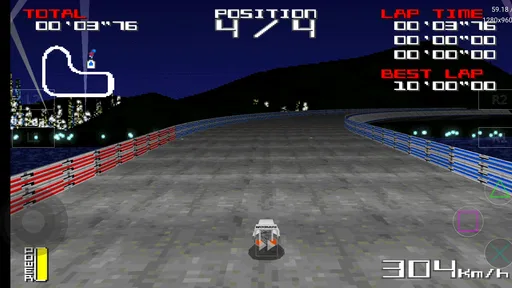
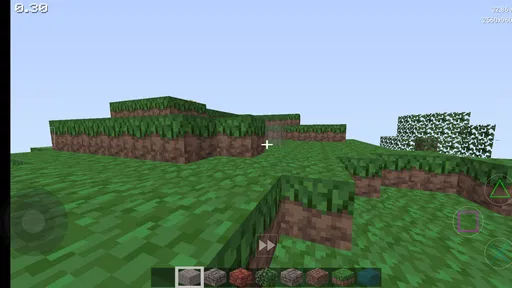
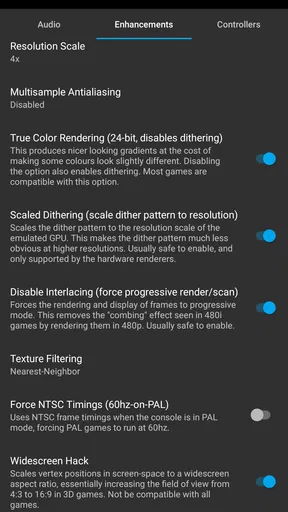
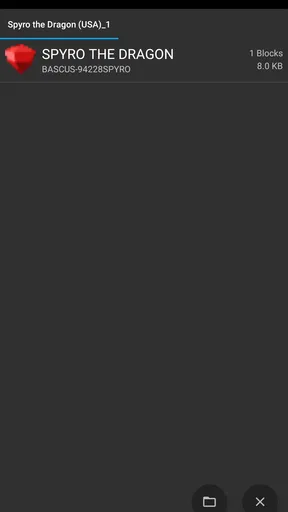
Our Review of DuckStation
 Analysis by Appyee
I approached DuckStation as a practical way to revisit PlayStation 1 games on a modern phone, rather than as a simple nostalgia button. It is a free arcade game application from Stenzek, but its real value comes from how much control it gives you over the experience. The app is built around emulation, so the quality of the result depends not only on the software itself, but also on your phone, your game files, your controller, and how much time you are willing to spend adjusting things.
That makes it different from an ordinary mobile game. You are not opening it and immediately entering a self-contained arcade title. Instead, you are using it as a front end for PlayStation games you already have access to in a lawful way. Once that distinction is clear, the app becomes much easier to judge. I found it most appealing for people who want a focused PS1 setup with room to tune graphics and controls, while less technical users may prefer a platform where every game is already packaged and ready to play.
How DuckStation feels in its current state
The current build is listed as version 0.1-8969-g611bb8fb4, and that version label tells me something useful about the project’s character: this is software that continues to evolve rather than a frozen, finished console replica. That can be encouraging for enthusiasts because ongoing development often means attention to compatibility and refinement. It also means that the experience may feel more technical than a commercial mobile release with a fixed interface and a tightly controlled list of supported content.
On a phone running Android 6.0 or later, the basic attraction is straightforward. DuckStation aims to reproduce the original PlayStation environment while offering a cleaner way to play on current hardware. The “HD” emphasis is important here. Older PS1 games were designed for television screens and original console output, so a sharper modern display can make menus, text, and polygon edges easier to see. It does not magically turn old graphics into modern visuals, but it can make them more comfortable to view.
I also like that the app sits in a sensible middle ground. It is not trying to replace the personality of the original console with a completely different mobile interface, yet it is not limited to reproducing every old limitation exactly as it appeared. For someone returning to a long RPG, a racing game, or a platformer, that balance can make the difference between a pleasant revisit and a short experiment that gets abandoned.
The public response is strong enough to show that the app has found a substantial audience: it has passed one million installs and holds an average rating of 4.3. I would not treat those numbers as a guarantee that every game will run perfectly on every phone, but they do suggest that DuckStation is more than an obscure technical project. It has become a recognizable choice for Android users looking specifically for PS1 emulation.
Getting started without unnecessary frustration
The first hurdle is not usually the emulator itself. It is understanding the relationship between the app, the console firmware or BIOS requirements, and your game files. A newcomer can install DuckStation and still feel stuck if they expect it to include commercial games. It does not function like a normal game store. You need to bring your own legally obtained material and organize it in a way that the app can scan or open.
My practical advice is to prepare a dedicated folder before importing anything. Keeping game images, memory-card files, and any required system files in predictable locations makes later troubleshooting much easier. If you move files around casually, you can create confusing situations where a game appears to have vanished or saved progress seems unavailable, even though the files are still on the device.
The same preparation matters when changing phones. An emulator setup is not just the application; it is also the save data and configuration. Before replacing a device, I would copy the relevant save folders and check that the new installation points to the right locations. This is a small habit, but it prevents the particularly painful experience of restarting a long game because only the app was transferred.
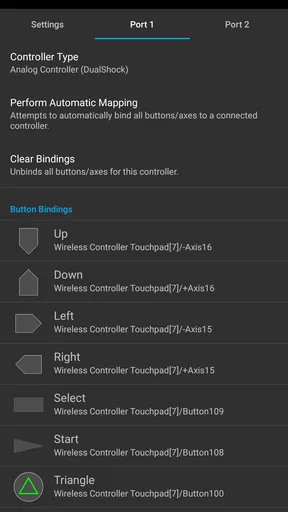
Controls are another early decision. The on-screen buttons are convenient for testing, but they are not equally suitable for every kind of game. A turn-based RPG can be comfortable enough with touch controls, while a fast platformer, fighting game, or racing title exposes the weaknesses of virtual buttons much more quickly. If you already own a compatible physical controller, DuckStation becomes considerably more attractive for longer sessions.
What the current version means for existing users
For people already using the emulator, a version such as 0.1-8969-g611bb8fb4 should be viewed as part of an ongoing sequence rather than a promise that every update will transform the interface. The most useful improvements in an emulator are often quiet ones: a game that behaves more consistently, a setting that is easier to understand, or a device-specific problem that no longer interrupts play. Those changes may not be obvious in a screenshot, but they matter when you spend several hours with one title.
I would update with a little discipline rather than changing versions in the middle of an important playthrough without preparation. Save states and memory-card saves are valuable, but I prefer keeping a backup of important progress before experimenting with a new build or moving configuration files. That is not a criticism unique to DuckStation; it is simply sensible behavior whenever an application handles emulated hardware and user-created save data.
Existing users should also resist the temptation to judge every game by the same preset. A setting that works well for a simple 2D title may not be ideal for a demanding 3D game. If a game shows visual glitches, audio irregularities, or unstable performance, changing several options at once makes the cause difficult to identify. I get better results by changing one setting, testing the same scene, and then deciding whether the adjustment actually helped.
That method is especially useful on phones with different performance levels. A device may run a game smoothly at its default resolution but struggle after aggressive enhancement options are enabled. The sharper image can be attractive, yet stable frame pacing is more important to me than a small increase in clarity. For action games, a consistent response feels better than a prettier image that introduces pauses or uneven movement.
Where the HD approach helps, and where it does not
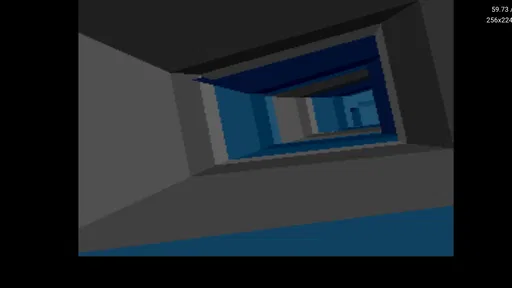
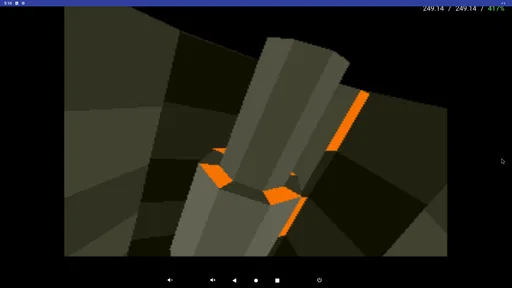
The clearest benefit of DuckStation is the ability to make PS1 software more readable on a current screen. Original console games often used low-resolution assets, rough polygon edges, and text designed for older displays. Higher internal rendering can reduce some of that harshness, especially in environments with large flat surfaces or simple geometry. Interface text can also feel less tiring during a long session.
However, visual enhancement has limits. It cannot replace missing detail in original textures, and it may make certain quirks more visible rather than hiding them. A game with unstable geometry or deliberately stylized effects can look strange when rendered more sharply. In those cases, I prefer a restrained configuration that respects the original presentation instead of pushing every available visual option as high as possible.
This is one of the app’s less obvious trade-offs. “HD” sounds like an automatic improvement, but the best result depends on the individual game. Some titles benefit immediately from extra clarity; others look more authentic with fewer changes. If your goal is preservation, you may want the original visual character. If your goal is comfortable play on a modern display, modest enhancement may be the better compromise.
Touchscreen play creates a similar compromise. On-screen controls let you play anywhere without carrying extra hardware, which is valuable on a commute or during a short break. Yet virtual buttons lack the physical separation and tactile feedback of a real controller. I found them acceptable for menus, slower games, and brief sessions, but much less satisfying when the game demands precise diagonal movement or rapid repeated inputs.
Useful workflows beyond simply launching a game
One of DuckStation’s practical strengths is that it can become a library rather than a collection of isolated files. Once your games are organized, browsing them from one place is more convenient than opening a file manager each time. I would use clear filenames and folders from the beginning, especially if you have multiple versions of the same title or games from different regions. Good organization saves more time than most visual tweaks.
A second useful workflow is separating casual testing from serious progress. When I want to check whether a game runs properly, a quick save state is convenient. For a long-term playthrough, I would still rely on the game’s normal memory-card saving whenever possible and keep independent backups. Save states are excellent for experimentation and difficult sections, but they can become fragile if you change settings, move files, or switch builds without care.
A third is choosing settings per game instead of searching for one universal configuration. Keep a simple note of what works for a demanding title, particularly if you play several games with different visual styles. That way, you can return to a stable setup rather than repeatedly guessing. This is the sort of small routine that makes an emulator feel dependable instead of fiddly.
There is also a practical travel scenario where the app makes sense. Imagine having a long flight or a hotel evening and wanting to continue a PS1 RPG without carrying the original console. Before leaving, I would test the game, confirm that saves are working, pair the controller if I plan to use one, and launch the title once while offline. That preparation is more important than simply installing the app at the last minute.
How it compares with the usual alternatives
Compared with playing on original hardware, DuckStation is more portable and easier to use with a modern phone screen. You avoid carrying a console, cables, and an older display, and you gain the convenience of having a large library in one device. The trade-off is that the original hardware has a certain simplicity: insert a disc, connect the console, and accept the way the game looks and feels. Emulation adds flexibility, but also adds setup decisions.
Compared with a general-purpose emulator, DuckStation has a clearer identity because it focuses on the original PlayStation rather than trying to cover many unrelated systems. That focus can make the experience feel more coherent. You are not navigating a huge collection of platform-specific options for consoles you never intend to use. If your interest is specifically PS1, a dedicated application is easier to understand than a broad multi-system tool.
On the other hand, a multi-system emulator may be the better choice for someone who wants one application for several generations of hardware. Installing separate emulators can feel inconvenient, especially if your library spans multiple consoles. DuckStation is strongest when its specialization matters more to you than having one universal interface.
Compared with a native mobile remake or port, DuckStation offers access to the original version rather than a redesigned interpretation. That can preserve the original pacing, controls, and presentation, but it also preserves old design decisions. A modern port may include touch controls designed specifically for phones, cleaner menus, or quality-of-life changes. If you want the easiest possible mobile experience, a native release may win; if you want the original PS1 identity, DuckStation is more appealing.
Who should use it, and who should skip it
I recommend DuckStation to players who already understand the basics of legally managing their own game files and who enjoy adjusting an experience until it feels right. It is particularly suitable for people with a capable Android phone, a physical controller, and an interest in revisiting a focused era of console games. It also suits preservation-minded players who want a convenient way to keep older titles accessible without depending on aging hardware.
I would be more cautious recommending it to someone who dislikes troubleshooting. If the idea of checking file locations, learning what a BIOS is, pairing a controller, or testing different graphics settings sounds exhausting, a conventional mobile game or official port will probably be a better match. DuckStation is free, but “free” does not mean effortless. Your time and attention are part of the setup cost.
It is also not the ideal choice for a person who expects every game to behave identically. Emulation is software recreating another system, and individual titles can expose different problems. Even when the emulator is well made, your phone’s processor, graphics hardware, operating system, and controller can influence the result. I would choose it for flexibility, not for the promise of a completely uniform experience.
Age, cost, and everyday practicality
The app is free and carries an Everyone content rating, which makes it approachable as software. That age label applies to the application itself, not automatically to every game you might use with it. The original PlayStation library includes many different types of content, so parents should consider the age guidance for each individual game rather than relying only on the emulator’s rating.
The minimum operating-system requirement is Android 6.0. That makes the app available to a broad range of Android devices, but compatibility on paper is not the same as a comfortable experience. Older phones may launch it while still struggling with enhanced rendering or demanding games. I would treat the minimum requirement as a doorway, not a performance guarantee.
The developer, Stenzek, is closely associated with the project, and the application’s continued version progression gives it the feel of an actively maintained enthusiast tool. Still, I would keep expectations realistic. A current build can improve the experience without eliminating every edge case, and future development should be treated as something to evaluate when it arrives rather than as a reason to assume a specific feature is coming.
Remaining gaps and the details I would watch
The largest remaining gap is accessibility for beginners. DuckStation can be rewarding once the basic concepts are clear, but the path from installation to a comfortable first session is not as simple as opening a normal arcade game. Better explanations inside the setup flow would help users understand what belongs in the app, what belongs in their game library, and which settings should be left alone until a problem appears.
Another gap is the difference between technical possibility and practical convenience. An emulator may offer many ways to improve presentation, but every extra choice can make the interface harder to approach. I would rather see clear, game-friendly defaults than a long list of options that encourages new users to change things before they know what those changes do.
Controller handling is also an area worth watching from a user’s perspective. Physical controls are often the best way to enjoy PS1 action games on a phone, but the quality of that experience depends on pairing, button mapping, and the particular controller. A setup that works perfectly for one person may require adjustment for another. This is not a reason to avoid the app, but it is a reason to test your preferred controller before committing to a long playthrough.
As the version develops, I would pay attention to three things: whether compatibility becomes more predictable across a wider range of games, whether configuration becomes easier for newcomers, and whether visual improvements continue to respect the original look instead of encouraging excessive processing. Those are more meaningful to me than flashy additions. An emulator succeeds when it lets the game disappear into the background.
My final take after using it as a PS1 solution
DuckStation is a strong choice for Android users who want a dedicated PS1 emulator with modern-screen convenience and room to customize. Its free price removes the biggest financial barrier, while its established audience and ongoing version progression make it feel like a serious project rather than a disposable utility. I especially value the ability to choose between a more authentic presentation and a clearer HD-style image depending on the game.
Its weaknesses are mostly connected to the nature of emulation. You need lawful game files, sensible file organization, patience during setup, and realistic expectations about device performance. Touch controls are useful but not a full substitute for a controller, and the best settings are not necessarily the most aggressive ones. Those are important limitations, but they are manageable if you know what you are getting into.
My honest recommendation is simple: choose DuckStation if you want control and authenticity, not if you want a completely hands-off mobile game. For a prepared player, it can turn a modern Android phone into a comfortable PS1 library, especially when paired with a controller and a careful save-backup routine. For everyone else, an official mobile port or a simpler gaming platform may provide less friction. I would still consider this one of the more compelling ways to revisit that console era, provided you treat the setup as part of the experience rather than an obstacle to ignore.
Verdict
Strengths of DuckStation
- Highly accurate PS1 emulation with excellent game compatibility.
- Supports save states, memory cards, and automatic save backups.
- Includes widescreen rendering and texture filtering options.
- Runs well on many modern Android and iOS devices.
- Offers customizable touch controls and external controller support.
Limitations of DuckStation
- Requires legally obtained BIOS files for the best compatibility.
- Some advanced graphics options can drain battery quickly.
- Touchscreen controls are less comfortable for long gaming sessions.
- Initial setup may feel complicated for users new to emulation.
- Performance can vary depending on the device and game settings.
Similar Picks in This Category
View All
Subway Surfers
SYBO Games4.6

Stickman Party 234 MiniGames
PlayMax Game Studio4.6

Subway Princess Runner
Ivy4.4

Temple Run
Imangi Studios4.2

Zombie Tsunami
Mobigame SAS4.6

Stack Ball - Crash Platforms
CASUAL AZUR GAMES4.5
Frequently Asked Questions
What is DuckStation, and which platforms does it support?
DuckStation is an open-source PlayStation 1 emulator designed to run original PS1 games on modern devices. It is available for Android, iOS, Windows, Linux, and other supported platforms, depending on the current release. The app itself does not provide copyrighted games, so users must supply legally obtained game files and should check local laws before using them.
Does DuckStation include PlayStation games or a BIOS file?
No. DuckStation does not include commercial PlayStation games, and it generally does not distribute the original PlayStation BIOS files either. To use the emulator properly, you may need to create a BIOS dump from a PlayStation console that you own and transfer it to your device. You must also create or use game backups made from discs you legally own.
How well does DuckStation run games on Android and iOS?
Performance is usually very good, especially on newer phones and tablets with capable processors. Many games can run at their original speed, while optional enhancements such as higher internal resolution, texture filtering, widescreen patches, and improved rendering can make them look sharper. Older or weaker devices may require lower settings, and game compatibility can still vary between titles.
What features make DuckStation different from a basic PS1 emulator?
DuckStation offers a broad collection of useful features for both casual players and experienced users. These can include save states, memory-card management, controller support, customizable touch controls, fast-forwarding, widescreen options, enhanced rendering, per-game settings, and graphical improvements. Some features may depend on the device, operating system, graphics backend, or version you install.
Is DuckStation safe to download, and what should I check before installing it?
DuckStation is widely known as a legitimate open-source emulator, but safety depends on downloading it from an official or reputable source. Avoid modified APK files, unofficial websites, and suspicious versions that promise free games or extra features. Before installing, review the requested permissions, confirm the app publisher, keep your device updated, and remember that emulator legality does not automatically cover downloaded copyrighted games.
Play our best games!


